
Download AnyCase App – Text Case Converter, Character Replacement, Plain Text Pasting
Overview
AnyCase App is a dedicated text manipulation tool designed to enhance productivity for users who frequently edit and format text across multiple applications. While primarily developed for Windows, its functionality is tailored to streamline common text-related tasks that are often time-consuming and repetitive. The app provides a suite of in-place case conversion tools, enabling users to switch between uppercase, lowercase, title case, and other formatting styles with minimal effort. This capability is especially beneficial for professionals, writers, developers, and students who need to maintain consistent formatting in documents, code, or digital notes.
One of the app’s core strengths lies in its ability to address real-world formatting challenges—such as inconsistent capitalization, unwanted text formatting during copy-paste operations, and the need for rapid character replacements. By offering tools like plain text pasting and customizable capitalization, AnyCase App helps users maintain clean, professional output without relying on complex word processors or external tools. Its focus on simplicity and direct functionality positions it as a valuable utility within the digital workflow ecosystem.
Although the developer did not provide additional technical details, the app’s release date of July 15, 2024, suggests it is a recent entry in the productivity tool category. The target audience includes anyone who values efficiency and precision in text handling, particularly those working across multiple platforms or managing multilingual content. For users seeking a lightweight, focused solution for text formatting, AnyCase App presents a compelling option.
Key Features & Functionality
- Multiple Case Conversions: Users can convert selected text into uppercase, lowercase, title case, sentence case, and other standard formats. This allows for quick adaptation of text to suit different writing contexts—ideal for preparing content for social media, documentation, or programming.
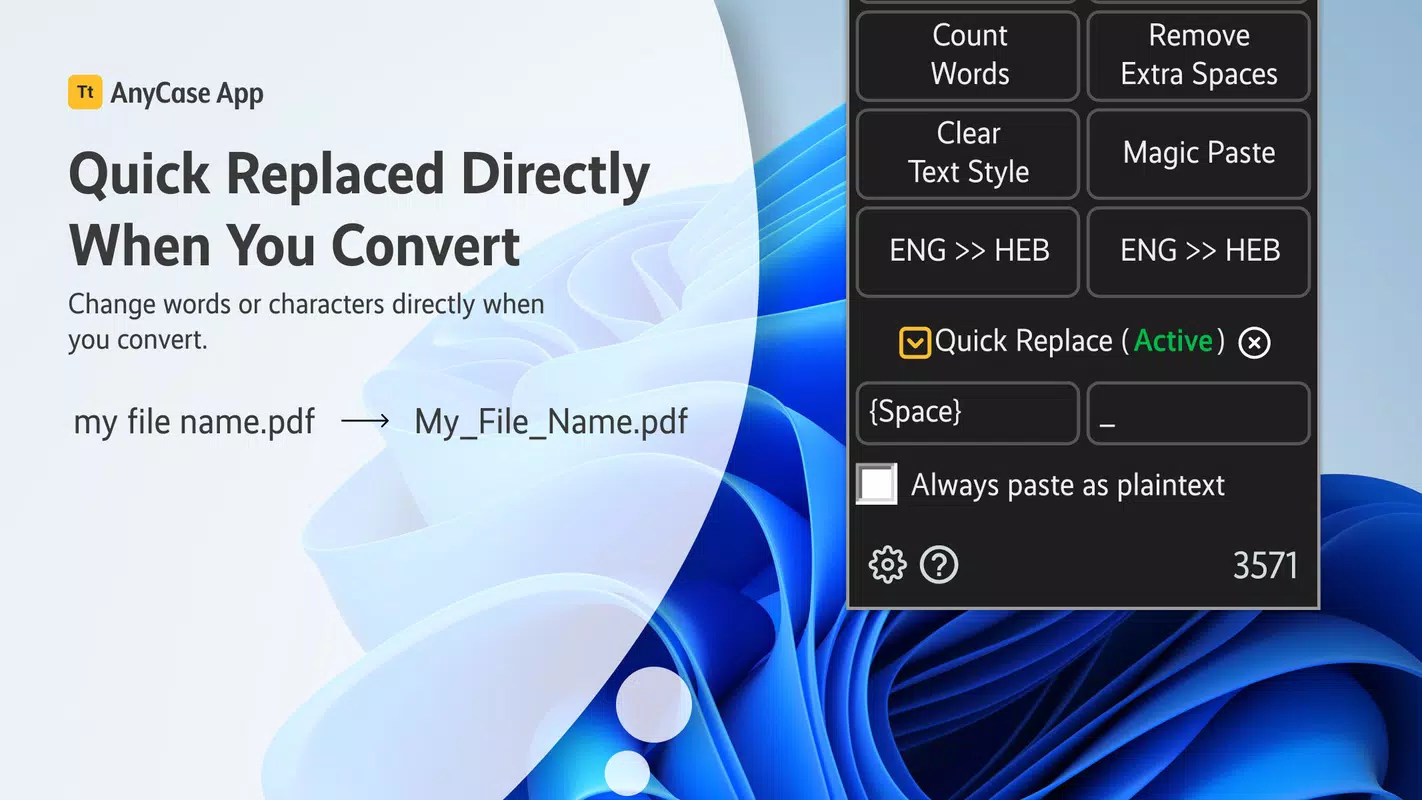
- Text Character Replacement: The app enables users to replace specific characters across selected text, such as converting spaces to underscores or fixing repeated punctuation. This is useful for creating file names, coding variables, or cleaning up transcribed text.
- Plain Text Pasting: With a single action, users can paste copied text without any formatting, ensuring a consistent appearance across documents and avoiding style conflicts from source applications.
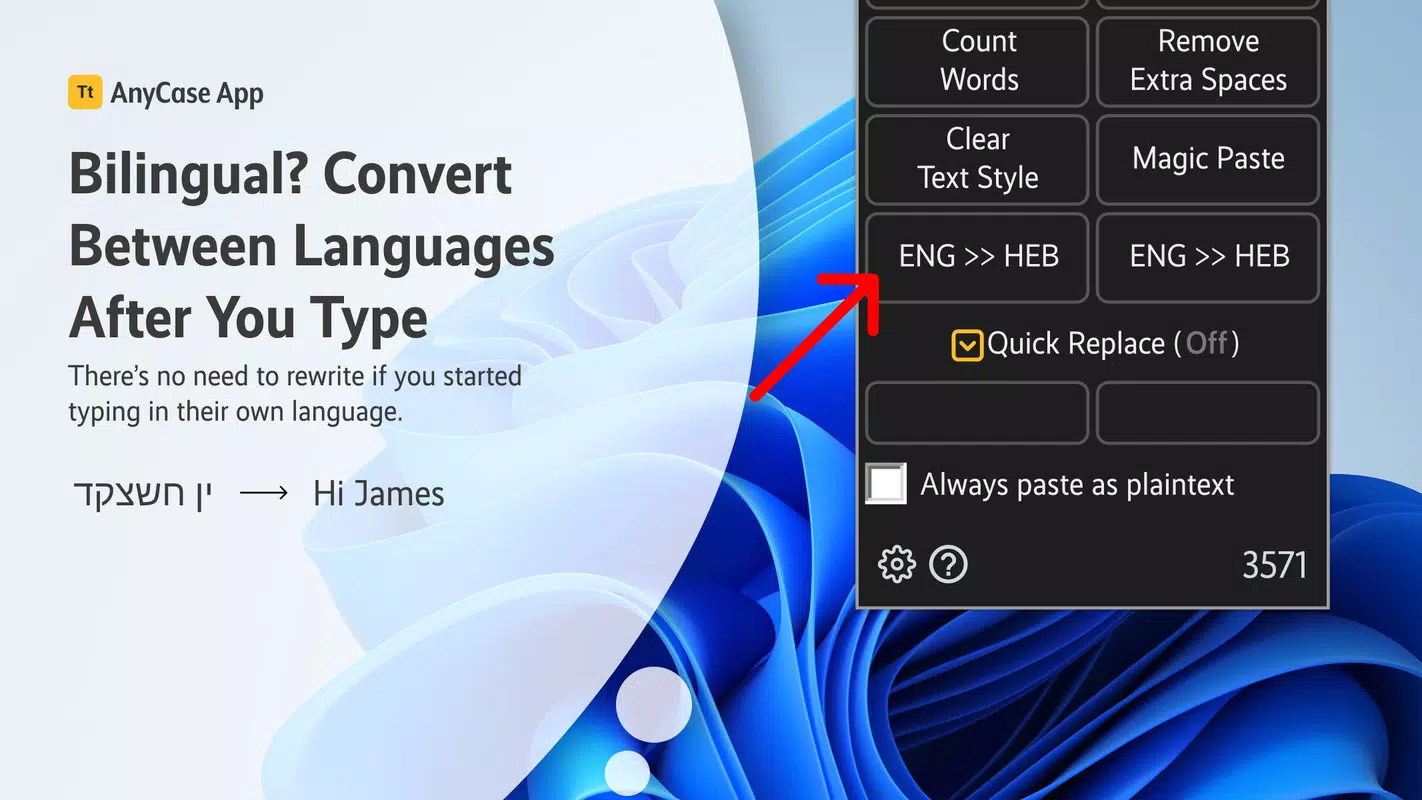
- Language Conversion Support: The tool can detect and convert text between languages, helping users correct accidental language shifts during writing. This is particularly helpful for multilingual environments or non-native speakers.
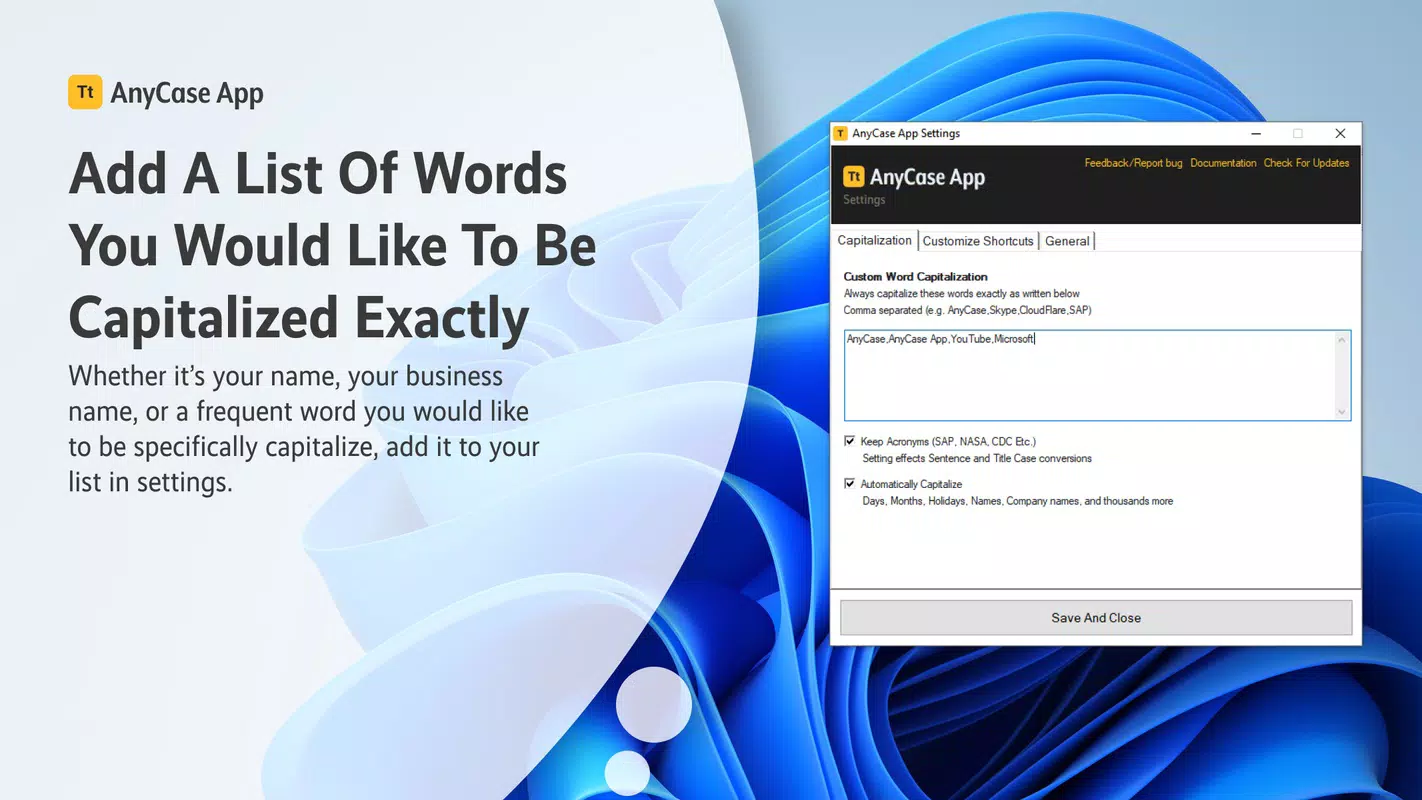
- Custom Capitalization Options: Users can define a list of words that should always appear in a specific capitalization format (e.g., "APKPure" or "iOS"). This ensures brand consistency and stylistic accuracy in long-form writing.
These features are designed to reduce manual editing time and minimize errors. For example, a developer can quickly convert a variable name from camelCase to snake_case, or a student can standardize the capitalization of a list of terms. The app’s in-place editing model allows users to apply changes directly within their current workflow, minimizing context switching and improving efficiency.
Interface, UX & Performance
AnyCase App features a minimal, focused interface that prioritizes usability and speed. The layout is straightforward, with clearly labeled buttons for each core function, allowing users to perform actions without navigating complex menus. The visual design is clean and functional, emphasizing utility over aesthetic embellishment—consistent with its role as a productivity tool.
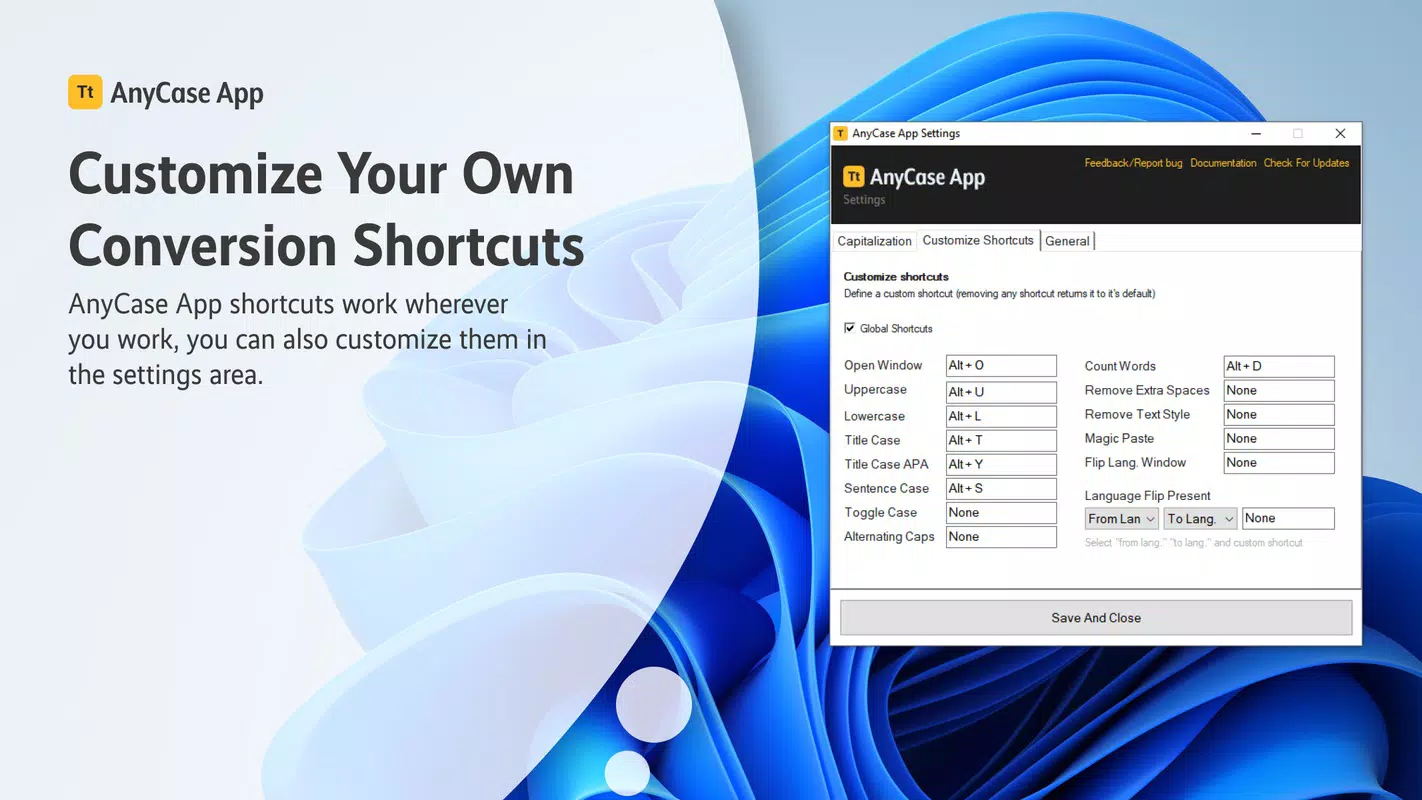
Navigation is intuitive, relying on simple click-and-apply interactions. Users can select text in any application, invoke the tool via a keyboard shortcut or context menu, and apply transformations instantly. The app integrates seamlessly into existing workflows, operating in the background without disrupting other tasks.
Although the developer did not list formal performance metrics, the app’s lightweight nature and focus on real-time text manipulation suggest it runs efficiently on standard Windows systems. Responsiveness is likely optimized for quick feedback, ensuring that conversions and replacements occur with minimal delay. Stability is expected to be high, given the app’s narrow scope and lack of resource-intensive processes. However, specific requirements or compatibility details were not disclosed.
Platform Compatibility & Technical Requirements
AnyCase App is designed for the Windows operating system. The app is available in a version that supports the latest Windows releases, though specific OS requirements were not listed. The file size is approximately 2.1 MB, indicating a lightweight footprint suitable for systems with limited storage.
Users should expect compatibility with standard desktop environments, though detailed information about minimum system specifications or supported Windows versions was not provided. The developer did not specify whether the app supports older Windows editions or alternative platforms. As such, compatibility with non-Windows systems remains unconfirmed.
Pros and Cons
Pros
- Lightweight and fast, with minimal system resource usage.
- Simple, intuitive interface ideal for quick text editing tasks.
- Supports multiple case conversions for diverse formatting needs.
- Offers customizable capitalization for consistent branding or style.
- Enables plain text pasting, reducing formatting conflicts.
Cons
- Platform is limited to Windows; no information on iOS or Android availability.
- Specific technical requirements were not disclosed.
- Limited to text manipulation—no support for file export or advanced editing.
- Language conversion feature may have accuracy limitations in complex texts.
- No visible update history or changelog provided.
FAQ
Is AnyCase App free to download?
The app’s pricing model was not specified in the provided information. Users should check the official source for details on cost and licensing.
Can I use AnyCase App on Android or iOS?
Based on the available data, AnyCase App is designed for Windows. There is no confirmed availability for Android or iOS platforms.
Does the app require internet access?
Since the app performs local text processing, it likely does not require an internet connection. However, the developer did not confirm this explicitly.
How do I install AnyCase App?
Installation instructions were not provided. Users should refer to the official source for step-by-step guidance, including download and setup procedures.
Is AnyCase App safe to use?
The app is described as a lightweight utility for text editing. As with any software, users should download it from trusted sources to ensure security and avoid potential risks.
Final Thoughts
AnyCase App stands out as a focused, efficient tool for users who frequently need to reformat text without switching between applications. Its core features—case conversion, character replacement, plain text pasting, and custom capitalization—address common pain points in digital writing and editing. While it lacks broader functionality, its narrow scope ensures speed, reliability, and ease of use.
Professionals, students, and developers who value precision and time savings will find the app particularly beneficial. Its minimal design and seamless integration into existing workflows make it a practical addition to any productivity stack. For those seeking a no-frills, high-performance text utility, AnyCase App delivers real value.
Download AnyCase App now


